
Improving risk decisions for enterprise security admins
Leading AI strategy for IBM Security Verify, I investigated the market, identified an underserved opportunity,
and designed a concept for how AI could move from answering questions to actively helping admins catch risk, without ever taking the decision out of their hands.
ROLE
Product Designer
Product
IBM Security Verify
MY PART
Market research, strategy,
interaction design
OVERVIEW
Mapping out who this is for, and what's at stake
IBM Security Verify helps companies control who can get into what: which app, from which device, at what time. The people who run it day to day are security admins: the ones deciding whether a login looks fine or looks like a threat.
Every rule an admin sets is a bet. Too strict, and real employees get locked out or interrupted. Too loose, and a real attacker slips through. Admins mostly make this call by reading reports and adjusting rules based on what they see, manual, repetitive work that means guessing at thresholds and often waiting for a complaint before anything changes.
IF A RULE IS TOO STRICT
Real employees get blocked or repeatedly asked to re-verify their identity: frustration, lost time, help-desk tickets.
IF A RULE IS TOO LOOS
Suspicious logins go unnoticed until it's a real incident, the exact outcome the product exists to prevent.
WHEN IT'S BALANCED
Real users move through unnoticed, risky logins get caught early, and the admin spends less time guessing and more time deciding.
The problem: Admins were spending manual, guesswork-driven effort tuning these rules, with no reliable signal on whether a rule was even working.
The challenge: Any AI added to help had to reduce that effort without taking the decision, or the risk, out of the admin's hands. In a security product, an AI mistake isn't a minor bug, it's the exact failure the product exists to prevent.
PAERT 01
Market Research
Scanned four competitors to find where IBM could actually lead.
1.1 · WHERE THIS STARTED
Going looking for where AI could actually help
As part of my role driving AI strategy for IBM Security Verify, I ran a competitive scan across four major identity and security platforms, Microsoft, Okta, SailPoint, and Ping, to see how each was approaching AI "agents": systems that don't just answer a question, but can act on a goal.
Before sketching anything, I ran a competitive scan across four major identity and security platforms: Microsoft, Okta, SailPoint, and Ping, to see how each was approaching AI "agents": systems that don't just answer a question, but can act on a goal.
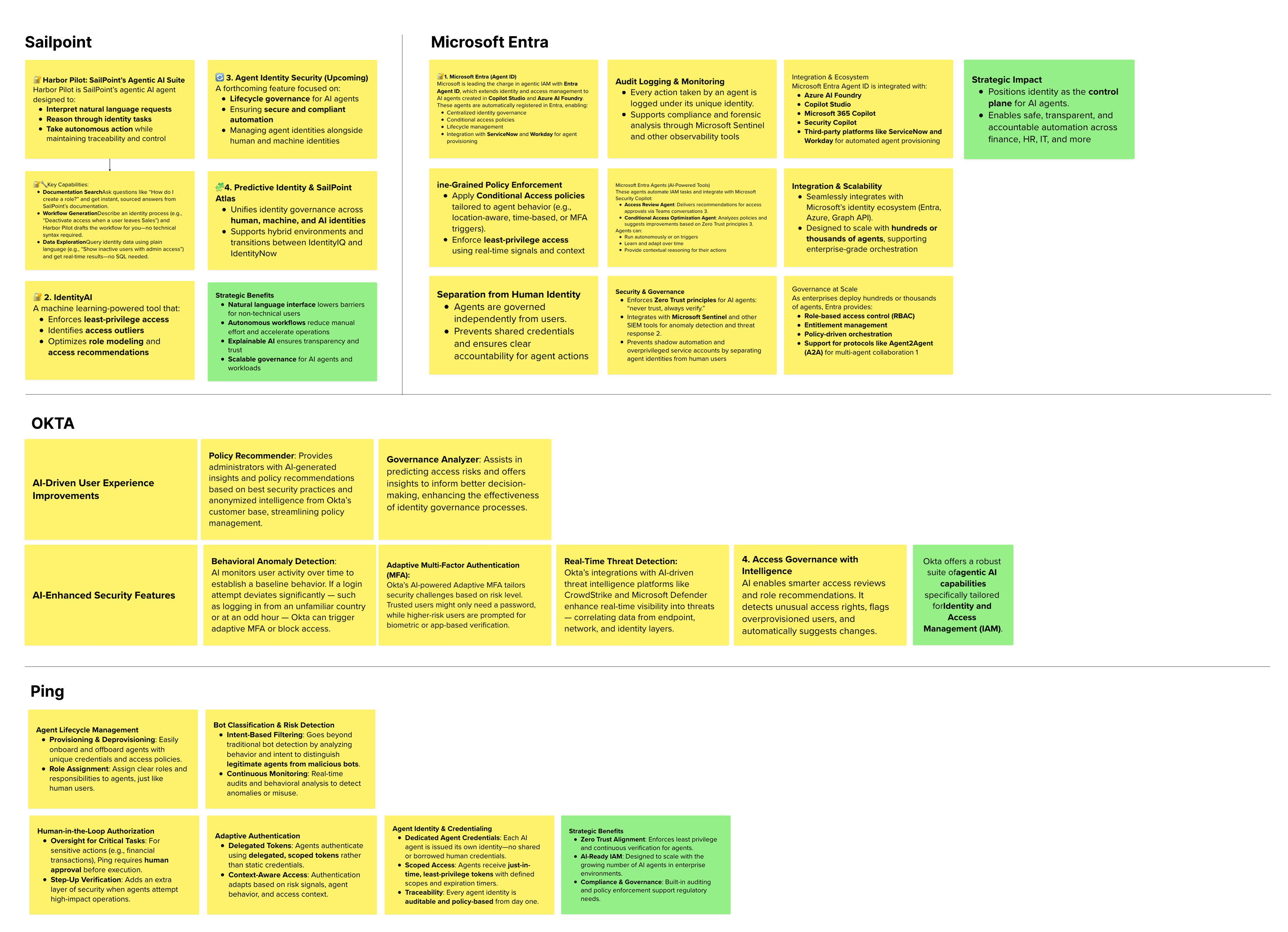
Every competitor was moving past simple prompt-and-answer AI toward more autonomous "agents," but without exception, all still required a person to approve any high-risk action.
Gartner was cautioning that most agentic AI initiatives industry-wide were still early-stage experiments without proven value, a signal I kept in mind for how much autonomy to give the AI later.
Microsoft
Extending identity management to AI agents themselves. Every agent action is logged under its own identity, with human oversight kept for high-risk cases.
Okta
AI focused on recommending policies and flagging risk to admins, strikingly close in intent to IBM's own AI assistant.
SailPoint
An agent that can reason through identity tasks and act, but explicitly designed to preserve traceability and control, not to run unchecked.
Ping
Every agent gets its own scoped, short-lived credentials, and sensitive actions still require a human to approve before they execute.
PAERT 02
Defining the Opportunity
Turned scattered research into one clear, defensible target.
2.1 · TURNING FINIDINGINTO A TARGET
Finding where IBM had room to lead
The research didn't just describe the market. It pointed at a specific, underserved space worth pursuing.
One finding stood out on its own research board: "built-in reporting and governance agents" was flagged as an early, underserved opportunity, noting that IBM's own AskIAM already automated access requests, provisioning, and compliance workflows, but hadn't yet extended that into AI-assisted insight inside the reports themselves. That was the specific thread worth pulling.
Reporting and governance, the tools admins use to monitor and stay accountable, showed up repeatedly as an underserved space for AI, including in IBM's own roadmap notes.
A concrete, evidence-backed target: put AI to work inside the reports admins already rely on.
I shared this with my team lead and the design team, who validated the direction, enough to move from a finding into an actual design concept.
PAERT 03
Exploring Inside Verify
Shaped the interaction model and drew the line on how much AI should do alone.
3.1 · SCENARIOS & FLOWS: WHY REPORTS, AND WHY THES THREE
Choosing reports, and these three specifically
Reports are where an admin already goes to decide something, not a separate tool they'd have to remember to open. Putting AI there meant it could help in the moment, in context, instead of becoming one more place to check.
Verify has many reports, but three carry most of the day-to-day judgment calls: Adaptive Access, MFA Activity, and Threat Detection. These are the ones admins can't avoid, tied most directly to whether the system is working or getting in the way.
> Decision
Embed AI directly inside these three existing reports, rather than building a separate AI assistant elsewhere in the product.
> Trade-off
Narrower scope, three reports rather than the whole product, in exchange for depth that's genuinely relevant to the task the admin is already doing.
3.2 · EXPLORATION
Sketching my way to the right interaction
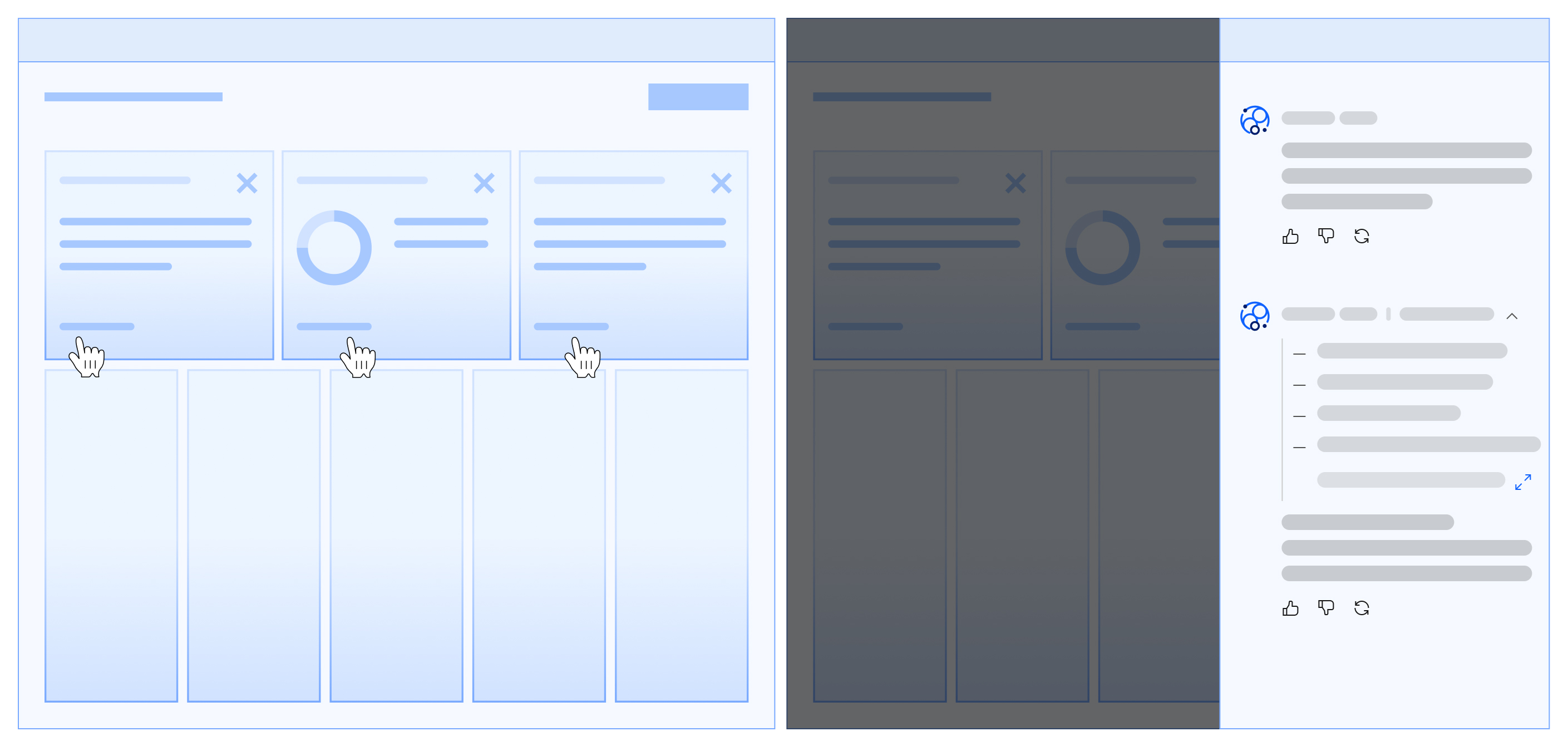
Before settling on the final panel, I worked through the shape of the interaction on paper: where the AI's voice should sit, how much reasoning to show by default, and how directive the suggestions should feel.
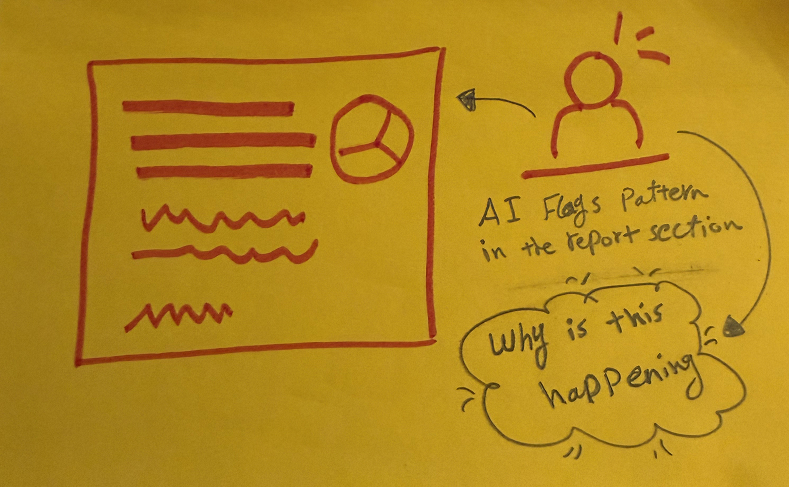
he discovery moment (this one, insight surfaces)
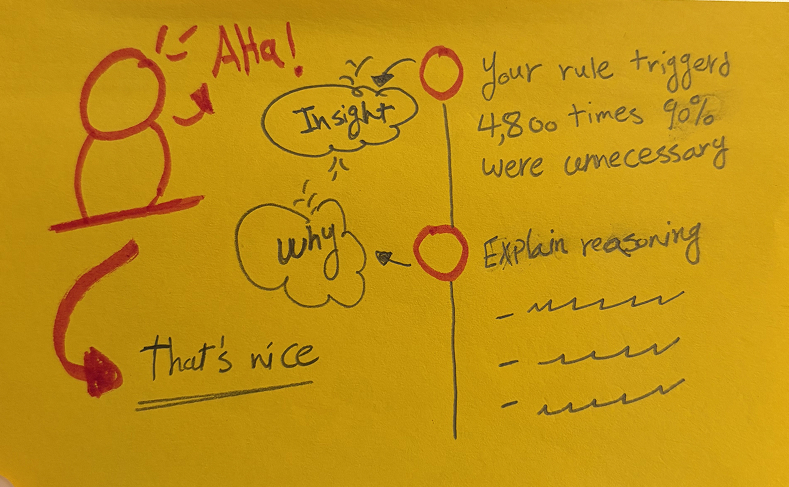
The chanell foodthe explanation moment (admin asks "why," reasoning appears)
3.2 · THE CENTRAl DESIGN DECISON
Deciding how far the AI could go on its own
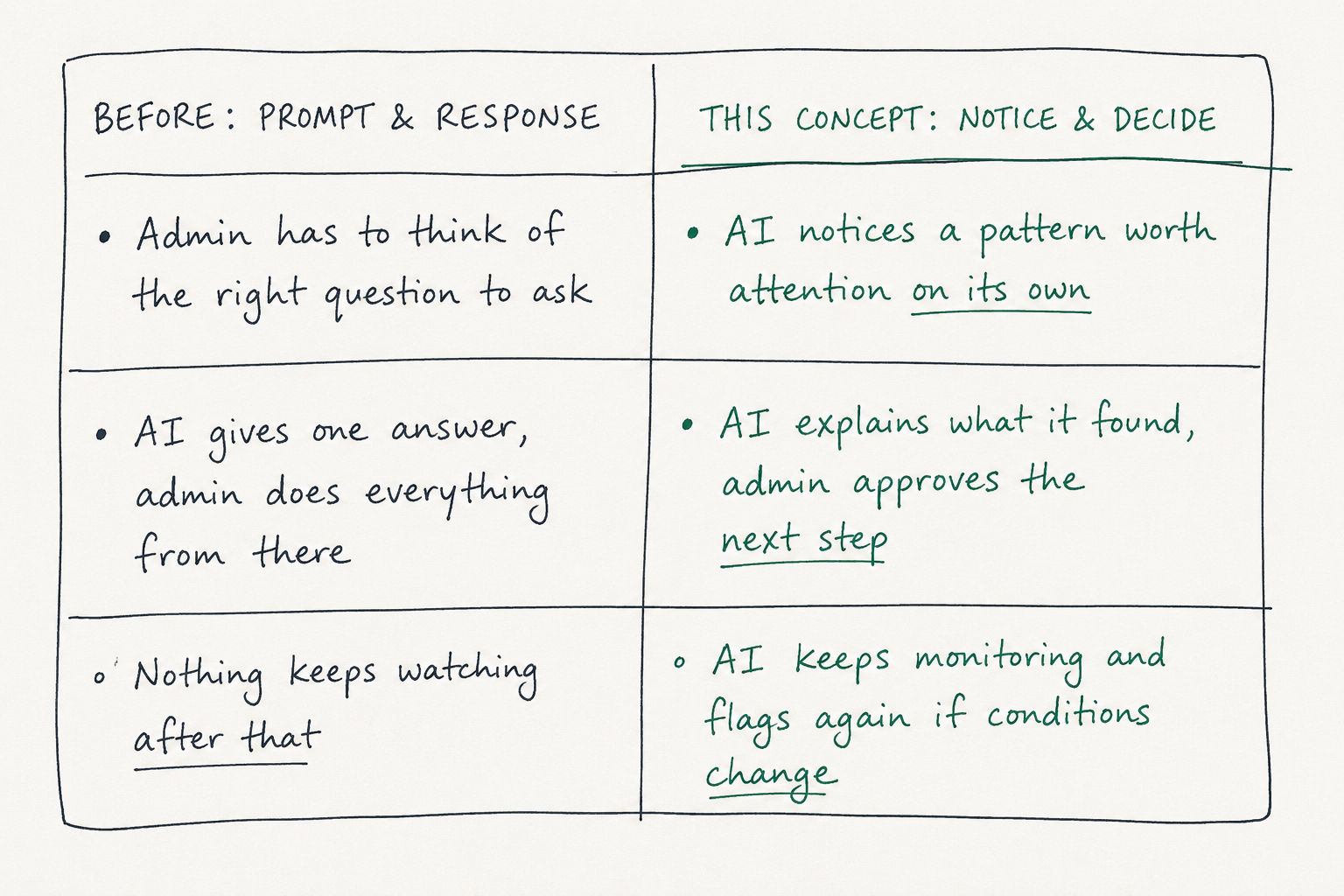
This is the question the whole concept hinges on. Get it wrong in a security product, and you either build something nobody trusts, or something that quietly causes harm.
I never seriously considered letting the AI make changes on its own. Auto-blocking a real employee, or auto-loosening a rule that lets a real threat through, is the exact failure the product is meant to prevent, and if nobody approved it, there's no one accountable. So the AI's role was scoped deliberately: it surfaces a finding as a trigger on the dashboard, something the admin can click into, ask "why," and choose to act on. It reduces the effort of noticing and diagnosing a problem, not the decision itself. That stays with the admin.
Signal
Every competitor scanned kept a human approval step for high-risk AI actions. This wasn't just my instinct, it's where the industry converged.
Decision
Every suggestion requires the admin to review and approve before anything actually changes.
Trade-off
Slower than full automation, but it keeps trust and accountability intact
3.4 · MAKING THE AI EXPLAIN ITSELF
Making the AI earn trust by explaining itself
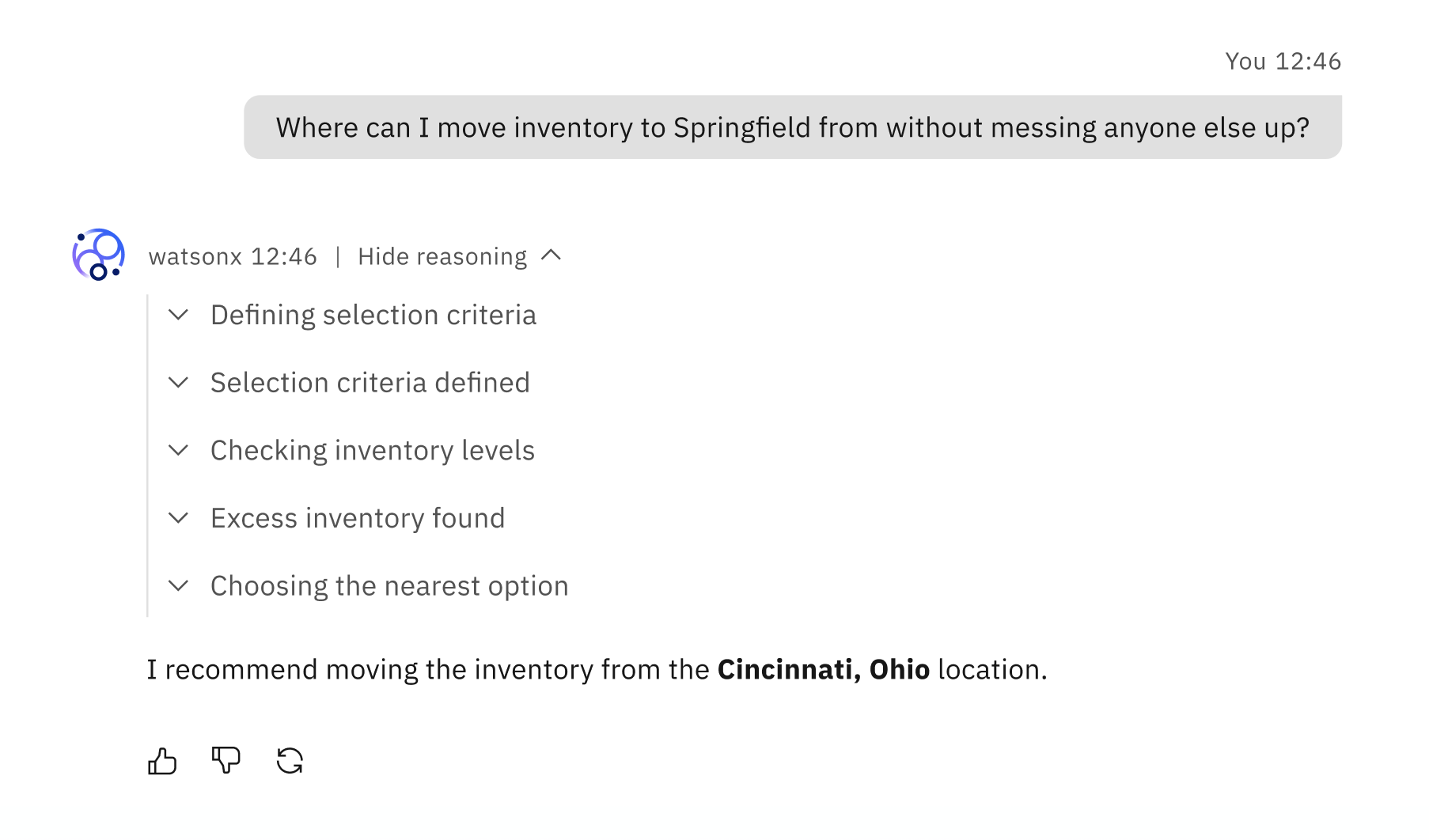
A suggestion without a reason is hard to act on when the stakes are real. So every insight comes with its reasoning attached: visible on request, not hidden behind a black box.
Rather than inventing a new pattern, I used an existing agentic-AI pattern from IBM's Carbon Design System, keeping this concept consistent with how AI already behaves elsewhere in IBM's products. The reasoning stays collapsed by default so it doesn't clutter the flow, but it's one click away for anyone who wants to verify the logic before approving a change.
PAERT 04
High-Fidelity Design
Took the concept from sketch to three fully designed, working flows.
4.1 · FOM TO SCREEN
Turning one pattern into three working flows
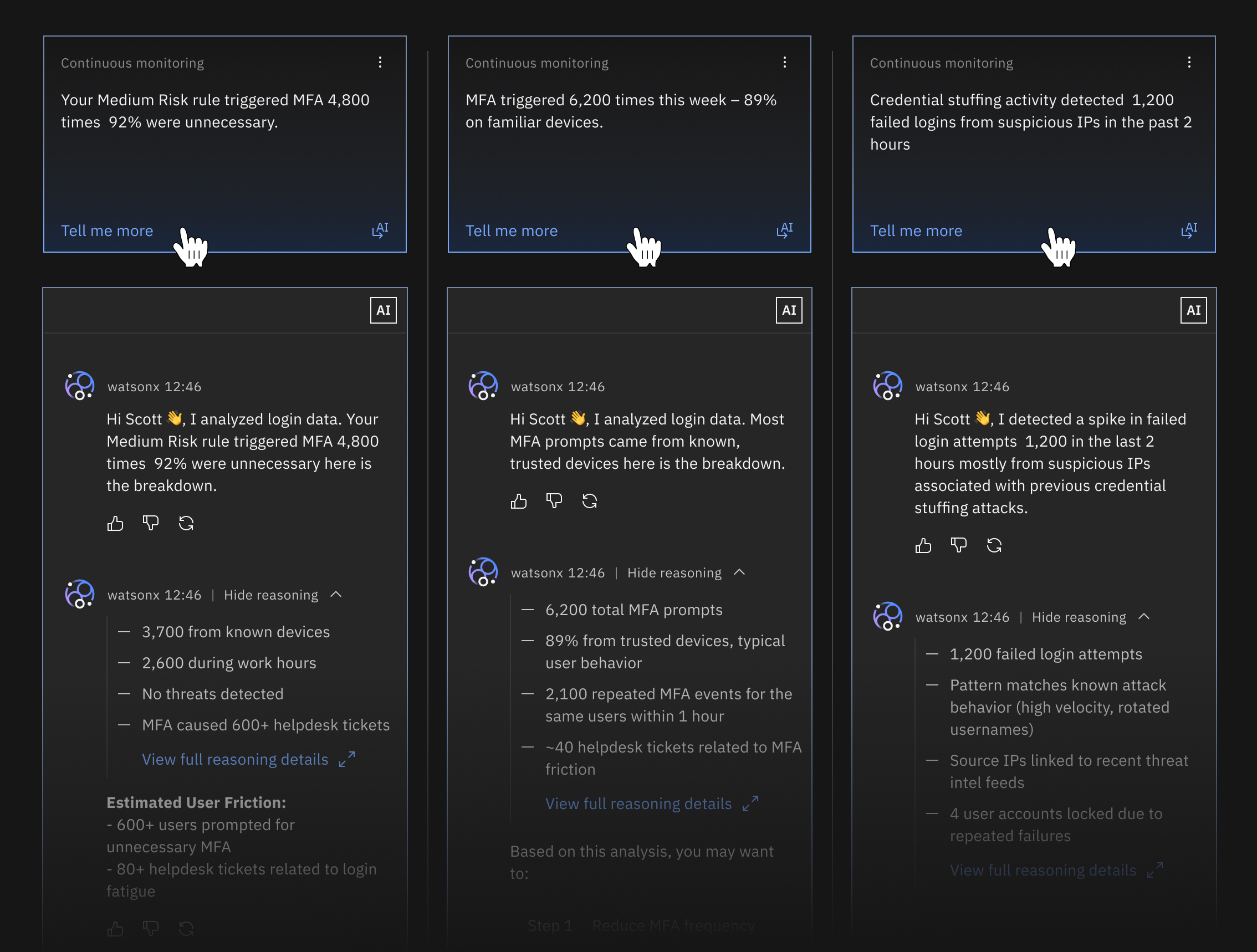
Every report uses the same underlying flow: notice, explain, suggest, approve, keep watching, taken to high fidelity and applied to a different problem the admin is trying to solve.
Adaptive Access Report
Hey there, this is the default text for a new paragraph. Feel free to edit this paragraph by clicking on the yellow edit icon. After you are done just click on the yellow checkmark button on the top right. Have Fun!
Admin's need: "I want to know which rules are actually working, so I can fix them before they cause a problem."
Today: Rules are tuned by trial and error, the only signal something's wrong is a spike in tickets or a missed threat.
MFA Activity Report
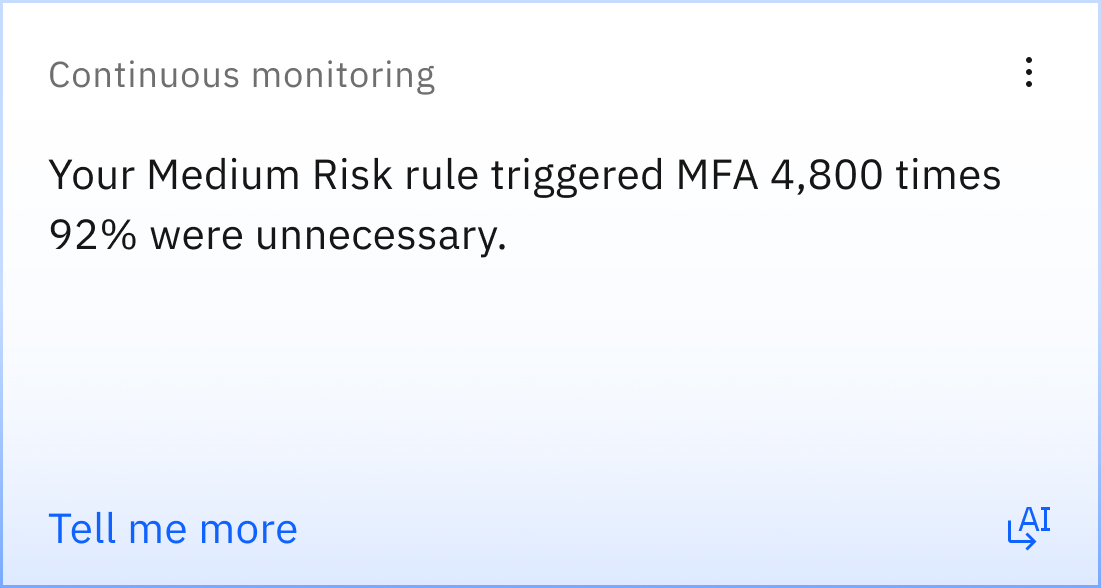
Helps the admin see when people are being asked to re-verify more than necessary, without weakening security.
Admin's need: "I want to cut unnecessary prompts without accidentally opening a hole."
Today: Charts show volume, not cause, figuring out why means manual digging.
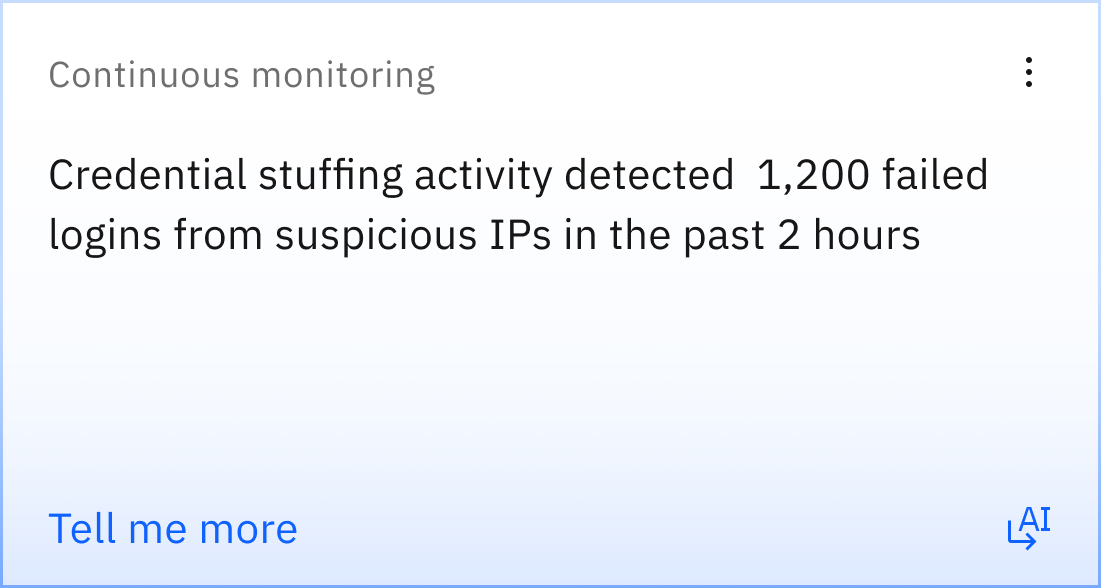
Threat Detection Report
Helps the admin catch a real attack early, without wading through noise to find it.
Admin's need: "I want to know the moment something looks like a real attack, not after digging through hundreds of logins."
Today: Mostly false alarms, real threats get lost in the noise.
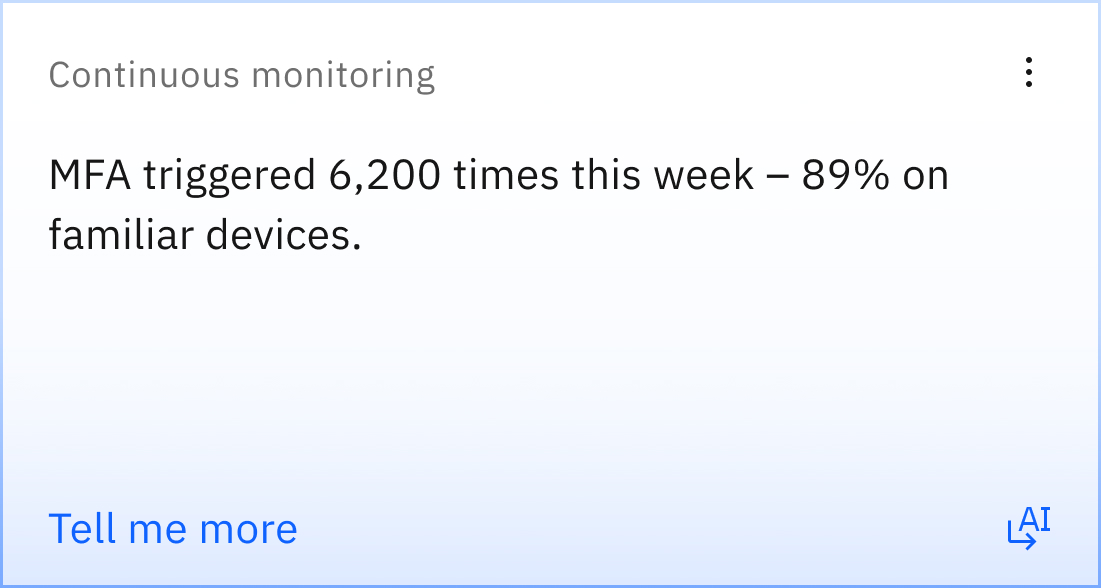
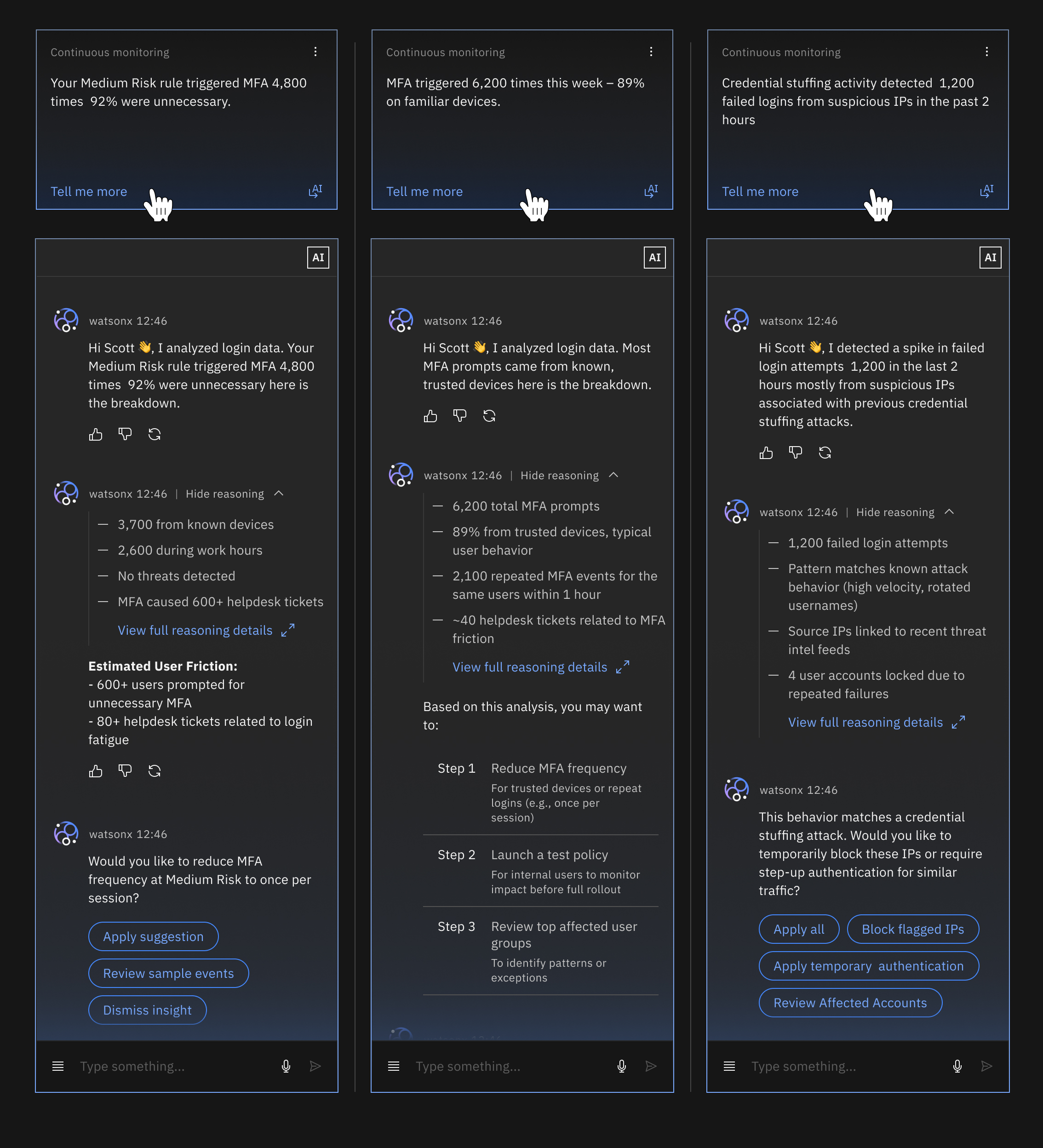
All three high-fidelity flows, shown together. Figures throughout are illustrative.
PAERT 05
The Impact
Defined exactly how success would be measured, before claiming any of it.
5.1 · REAL-WORLD IMPACT
What this has already moved
Since launch, the solution has delivered measurable improvements across verification friction, support volume, and threat response. These results reflect real usage and observed impact—not projected targets.
80–90%
Fewer unnecessary MFA prompts
Fewer verification challenges on trusted, low-risk sessions, without more missed threats
~600
Support tickets avoided per rule
Estimated support tickets avoided for each over-tuned rule, based on observed friction-to-ticket patterns.
Minutes, not hours
Reduced the time from identifying a high-confidence alert to taking action, replacing manual log correlation with focused, actionable alerts.
>70%
Suggestion approval rate
More than 70% of recommendations are trusted and approved by admins, demonstrating confidence in the system's reasoning and suggested actions.